MICROSOFT TEAMS ROOMS
We create seamless hybrid meeting spaces that bring people together—whether they're across the table or across the world. Strive AV designs and deploys fully-certified Teams Room systems that are intuitive to use, simple to manage and built for collaboration.
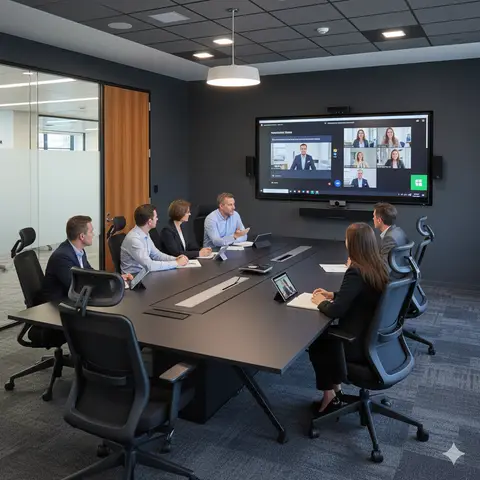
Transform Your Hybrid Meeting Experience
Today's meeting rooms must do more than just connect people—they need to deliver clarity, reliability and inclusivity. With Microsoft Teams Rooms, we ensure every participant—remote or in-room—feels present and engaged. Our solutions span huddle spaces, standard meeting rooms, boardrooms and town-hall environments, making the meeting experience consistent, scalable and effortless.
We work with you from space analysis to technology selection, installation and rollout so that your meeting rooms are future-ready, easy to operate and aligned with your organisational goals.
DESIGN YOUR PERFECTMEETING ROOM
Use our interactive configurator to build your ideal meeting room setup in minutes. Select your room type, size, and purpose to see tailored AV recommendations — from displays and microphones to control and connectivity.
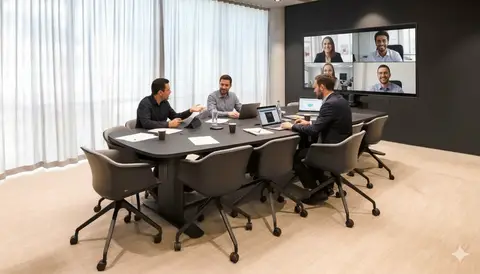
Teams Room Technologies
Discover the technologies that power exceptional Microsoft Teams Room experiences.
How Strive AV Can Help Transform Your Meeting Spaces
Whether you're equipping one room or rolling out a strategy across hundreds of spaces, our experienced team will guide you precisely. From initial audit and design, through procurement, installation, training and support, we'll ensure your Microsoft Teams Rooms deliver exceptional user experience and operational simplicity.
Microsoft Teams Rooms FAQs
Q.How much does a Microsoft Teams Room cost in the UK?
A small huddle Microsoft Teams Room with a certified single-camera bar (Logitech Rally Bar Mini, Poly Studio X30 or Yealink MeetingBar A20) plus a 55-inch display typically starts at around £4,500–£7,500 supplied and installed. A standard 8–12 person room with dual displays, certified PTZ camera and table or ceiling microphones runs £8,000–£15,000. Boardroom-class MTRs with multi-camera tracking, ceiling mic arrays and DSP audio range from £20,000 to £50,000+. Pricing excludes Microsoft 365 and Teams Rooms Pro licensing.
Q.What Microsoft 365 licences do I need for Microsoft Teams Rooms?
Each MTR device must be assigned to a dedicated resource account with either a Microsoft Teams Rooms Pro or Teams Rooms Basic licence. Teams Rooms Pro (around £40 per room per month at UK list price) is the standard for managed deployments and includes intelligent audio/video, advanced room analytics, Teams Premium meeting features, Microsoft Places, single-pane-of-glass management and proactive Microsoft monitoring. Teams Rooms Basic is free for up to 25 rooms but lacks pro management. We help you size licensing during the design phase.
Q.Which Microsoft Teams Rooms hardware brands do you install?
We are a Microsoft partner and install certified MTR hardware from Logitech (Rally Bar, Rally Plus, Tap Scheduler), Poly (Studio X30/X50/X70, Studio E70, TC10), Yealink (MeetingBar A20/A30, MVC series), Neat (Neat Bar, Bar Pro, Board), Lenovo ThinkSmart, HP Elite Slice, Crestron Flex and Microsoft Surface Hub 3. Most modern UK rollouts use Android-based MTR appliances for simplicity; Windows-based MTR is used where richer Cisco Webex or Zoom interoperability is needed.
Q.What is the difference between MTR on Android and MTR on Windows?
MTR on Android is an appliance — a sealed certified device (Logitech, Poly, Yealink, Neat) that boots straight into Teams Rooms with minimal management overhead. MTR on Windows runs on a small-form-factor Windows IoT PC (Lenovo, HP, Crestron) and supports richer multi-platform direct-guest-join scenarios for Zoom and Webex, plus more flexible peripheral choices. Most UK organisations standardise on Android for huddle and meeting rooms, and use Windows MTR for boardrooms or where Zoom/Webex parity is required.
Q.Do Microsoft Teams Rooms support Teams Premium and Copilot?
Yes. With Teams Rooms Pro and a Teams Premium add-on, MTR devices unlock advanced meeting features including intelligent recap, AI-generated meeting notes, live translation, watermarking, sensitivity-label protection and advanced webinar functionality. Copilot in Microsoft Teams works for in-room and remote participants when the meeting organiser has a Copilot for Microsoft 365 licence, providing AI-powered summaries, action items and Q&A directly inside the Teams meeting.
Q.How long does a Microsoft Teams Room installation take?
A standard certified MTR installation is typically completed in one day, including display mounting, cable management, camera and microphone install, MTR appliance configuration and Microsoft 365 enrolment, Intune/Teams Admin Centre onboarding, network testing and 30–45 minutes of user training. Boardroom MTRs with ceiling mic arrays, multi-camera tracking and DSP audio usually take 2–4 days. Multi-site rollouts are scheduled in waves to minimise business disruption.
Q.Can you support an existing Microsoft Teams Rooms estate?
Yes. Our UK-wide managed services team supports existing MTR estates regardless of who installed them, including proactive monitoring via Teams Admin Centre and Pro Management Portal, firmware and security updates, room-account hygiene, on-site break-fix with 4-hour SLA options, hardware refresh planning and quarterly service reviews. We can also re-certify rooms that have drifted from Microsoft compliance and migrate legacy Skype Room System (SRS) devices onto current MTR appliances.
Q.Do you offer finance and as-a-service for Microsoft Teams Rooms?
Yes. We offer leasing and Microsoft Teams Rooms-as-a-Service so you can bundle certified hardware, Teams Rooms Pro licensing, installation, training and ongoing support into a single monthly per-room operating cost. This is popular with UK organisations rolling out 10+ rooms or moving capex to opex. Speak to our team for finance options aligned to your budget and refresh cycle.
Trusted AV Partner to Leading Organisations












Start your project
Speak to our design team today to discuss your next AV project. We'll guide you through every step - from consultation to completion.